
Change company settings
Tip: Only Admin users can view and update Company settings
To access the company settings, select the account name at the top right corner of the dashboard, and then click Company settings
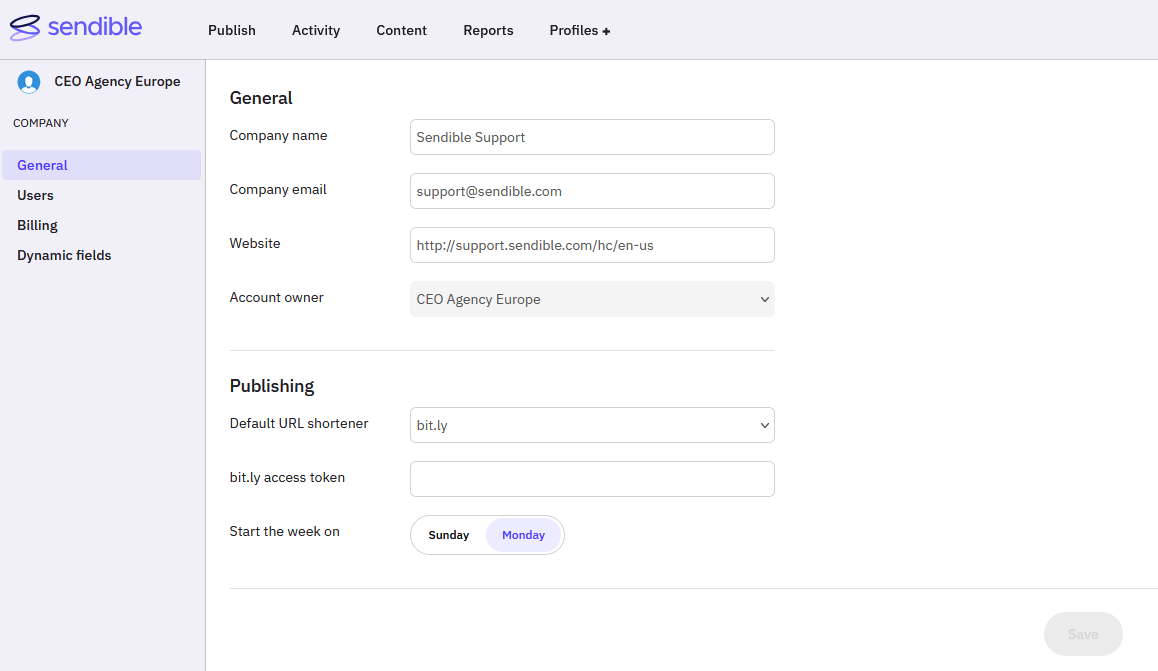 General Settings
- Edit Company information such as Company name, Company email and Website. These fields are mainly only used internally so it's up to you whether you choose to keep this information up to date.
-
The account owner is the user who created the company account when first signing up to Sendible. This cannot be changed.
Note: If the person who originally set up the account should no longer be the main admin linked to payments, as, for example, they've left the company, you will ideally need to update their account by editing the settings for it to reflect a new user. Please contact us if you need help with this.
Publishing Settings
- You can set the default URL shortener option to be used across all user accounts under your company. This can still be set on a per-user basis by setting a different option in the personal settings for that user.
- If your company has a Bitly account, the access token will need to be entered into the Bitly access token field in order for that Bitly account to be used to shorten and track links. As with the previous option, this can still be set on an individual user level as well.
- You can also choose the default day that weeks start on for all users in your account. Individual users can override this setting.
Once all changes are made, click Save to confirm your updates.
Have more questions?
We'd be happy to help!
Please submit a support ticket with your questions. Providing screenshots or a video to explain what you expected or wanted will help get answers more quickly!